Content Builder learning curve
Content Builder feels unintuitive for marketers who just want to update copy or swap an image. The interface is complex, previews are slow, basic changes need training.
Protect your design system while giving marketers freedom to update content. Build campaigns from reusable modules, preview live, export clean HTML to SFMC.
Salesforce is great for automation, sending, segmentation, and reporting. Building email content in Content Builder is the part that drags. Templates break on update. The 250-component cap bites. Auto-generated CSS overrides your styles. The brand drifts.
Modular Mail is an email CMS that sits alongside SFMC. You keep using Salesforce for everything it does well: automation, journeys, AMPscript, sending. You replace the template-building and campaign-content layer with a tool that locks the design and lets marketers self-serve.
If any of these sound familiar, the gap is structural, not just workflow.
Content Builder feels unintuitive for marketers who just want to update copy or swap an image. The interface is complex, previews are slow, basic changes need training.
Content Builder has a 250-component limit, and templates break when updated. Blocks duplicate, layouts shift, Journey Builder edits force new versions.
Content Builder auto-generates CSS classes that override your styles. No custom webfonts, limited button styling. Hand-coding or external tools needed for a real design system.
Most Content Builder changes need developer help. Marketing can't update templates safely. Production cycles drag.
Emails don't always render correctly in Outlook, Gmail, or mobile. Column spacing breaks, images scale wrong, hours go into testing and fixing.
Every change goes through dev. Journey Builder is rigid for email edits. With a CMS layer, marketers update independently while the design system stays intact.
Your templates are configured for your team. After that, marketers build campaigns without dev help.
We convert your master HTML template (or Figma design) and define reusable modules using simple mm-editable tags. Or bring your own developer or agency. See the template setup service.
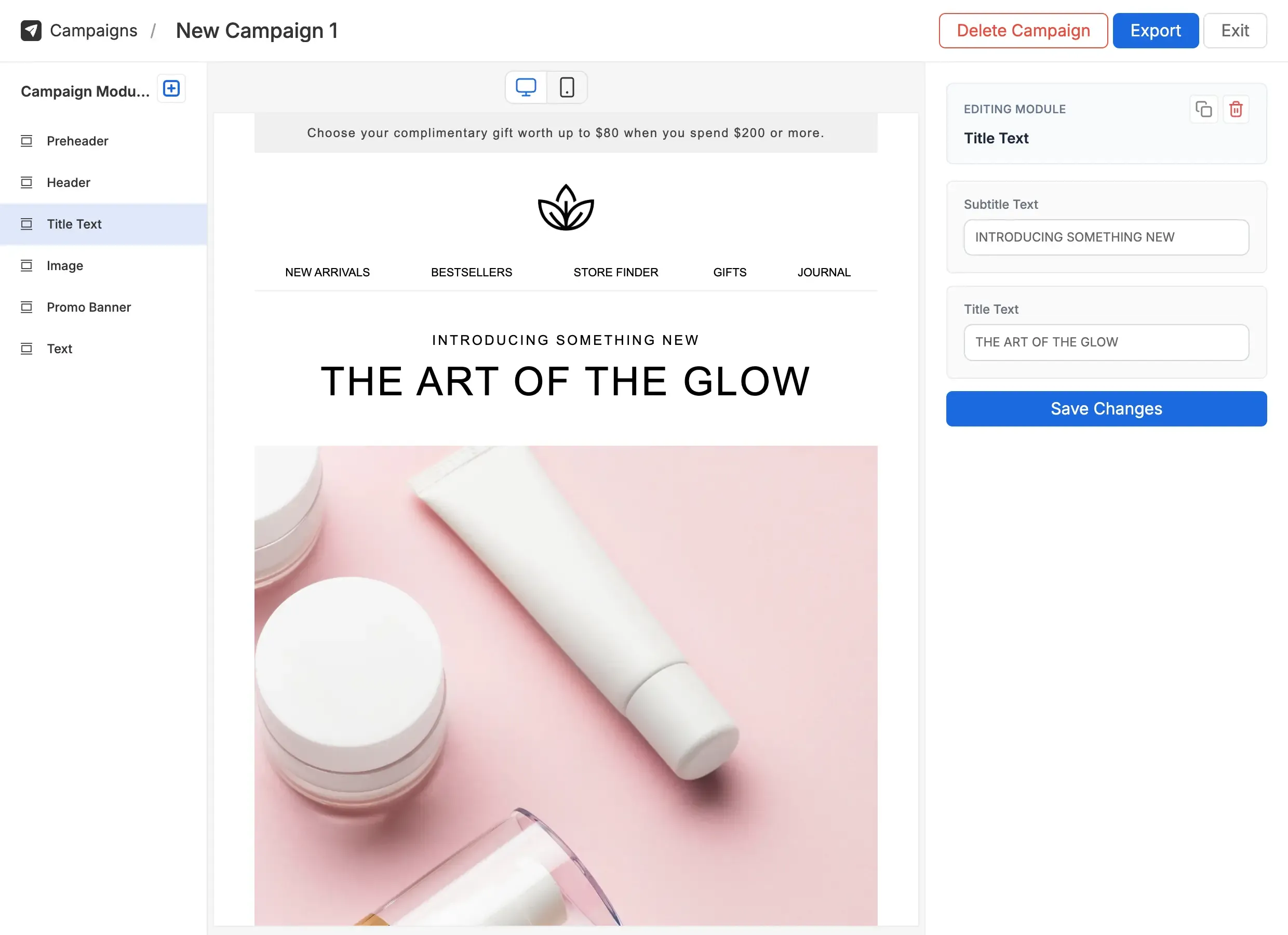
Marketers build campaigns by selecting modules and filling in content fields. The design stays intact; the content is fully editable. AI Copy Assistant and AI Alt Text help speed things up.
One-click export produces production-ready HTML that respects SFMC's formatting and component constraints. Upload to Email Studio. Add AMPscript and personalisation in SFMC.
A clean editor over a locked template. Pick a module, fill in content fields, pick a variant, preview, export.
The HTML stays out of the marketer's reach, so nothing drifts off-brand by accident.
A factual comparison. Add Modular Mail; keep SFMC.
| Feature | Content Builder | Content Builder + Modular Mail Recommended |
|---|---|---|
| Template setup | Content Builder editor + AMPscript wrappers | Standard HTML with mm-editable tags |
| Component limit | 250-component cap inside Content Builder | No component cap; export complete HTML |
| Brand guardrails | Limited content locking; auto-generated CSS overrides styles | Locked structure, content-fields only |
| Custom webfonts | Manual workarounds required | Defined in template setup, applied automatically |
| Module reuse | Inside Content Builder content blocks | Visual module library with drag-and-drop |
| Preview and testing | Slow preview, separate testing | Live desktop and mobile preview, plus Litmus / EoA integration |
| ESP portability | SFMC-only | Export to any ESP |
| AI assistance | Not available in editor | AI Copy Assistant and AI Alt Text built in |
Teams managing 20+ sends a month can't afford a dev round-trip on each one. A locked template system keeps quality up as volume grows.
Retail CRM teams managing weekly promotions, abandoned cart flows, and loyalty campaigns build every send from the same tested module set. Dev only gets involved when a new module is needed.
Deliver pixel-perfect, on-brand emails for multiple clients without endless revision cycles.
Agencies running SFMC programmes for several clients give each client their own module library. Producers build campaigns without pulling designers back in for every banner change.
B2B and B2C teams localising campaigns across regions keep the design system intact while each market adapts the content.
A team launching in eight locales used to copy a master HTML file per market and hand-edit the content. Now regional producers pick the same modules and translate the content fields. Same brand, same structure, eight local versions in the time one used to take.