HubL and Design Manager
Custom coded templates in HubSpot require HubL, HubSpot's own template language. Modifying them means either knowing HubL or waiting for a developer who does.
Modular Mail is an email CMS. Your templates are configured with locked modules and editable content fields. Marketers build campaigns by filling in those fields, then export clean HTML straight into HubSpot as a custom coded template. No HubL, no Design Manager, no broken layouts.
HubSpot is a strong platform for marketing automation, CRM, and reporting. Email is one piece of it. For teams that need more than simple send-and-track campaigns, the native email tools start to show limits.
HubSpot's drag-and-drop editor is straightforward for basic layouts, but the moment you need a genuinely custom template, you're into Design Manager and HubL. HubL is HubSpot's proprietary template language. It requires developer knowledge and is entirely specific to HubSpot. Teams find themselves dependent on a developer for every template change.
In HubSpot's drag-and-drop editor, users can change fonts, button colours, padding, and more. For brands with a precise design language, this means constant drift. Each campaign risks looking slightly different from the last.
Templates built inside HubSpot's editor are tied to HubSpot. If your team ever runs campaigns through another platform, or if your ESP strategy changes, you're rebuilding. An ESP-agnostic approach avoids this entirely.
These are the patterns we hear most from teams using HubSpot for complex email programmes.
Custom coded templates in HubSpot require HubL, HubSpot's own template language. Modifying them means either knowing HubL or waiting for a developer who does.
HubSpot's drag-and-drop editor works well for simple campaigns. For brands with precise typographic rules, multi-column layouts, or custom modules, it runs out of room quickly.
Drag-and-drop templates rely on marketers to stay inside brand. Without locked structure, fonts, colours, and spacing drift from campaign to campaign.
Templates built in HubSpot's editor or Design Manager are HubSpot-specific. If you ever run campaigns across other platforms, you're rebuilding from scratch.
Set up the template system once. Your team manages content from there. HubSpot handles the sending.
Your developer, agency, or our team configures your templates with locked modules and editable content fields using mm-editable tags. No HubL required. See the template setup service.
Marketers pick modules, fill in text and image fields, reorder sections, and preview on desktop and mobile. The design is locked. No code is visible. AI Copy Assistant helps speed up copywriting.
One-click export produces clean HTML you can upload to HubSpot as a custom coded template. Add HubSpot personalisation tokens, smart content rules, and send via HubSpot exactly as before.
A clean editor over a locked template. Pick a module, fill in content fields, pick a variant, preview, export.
The HTML never reaches the marketer. The brand never drifts.
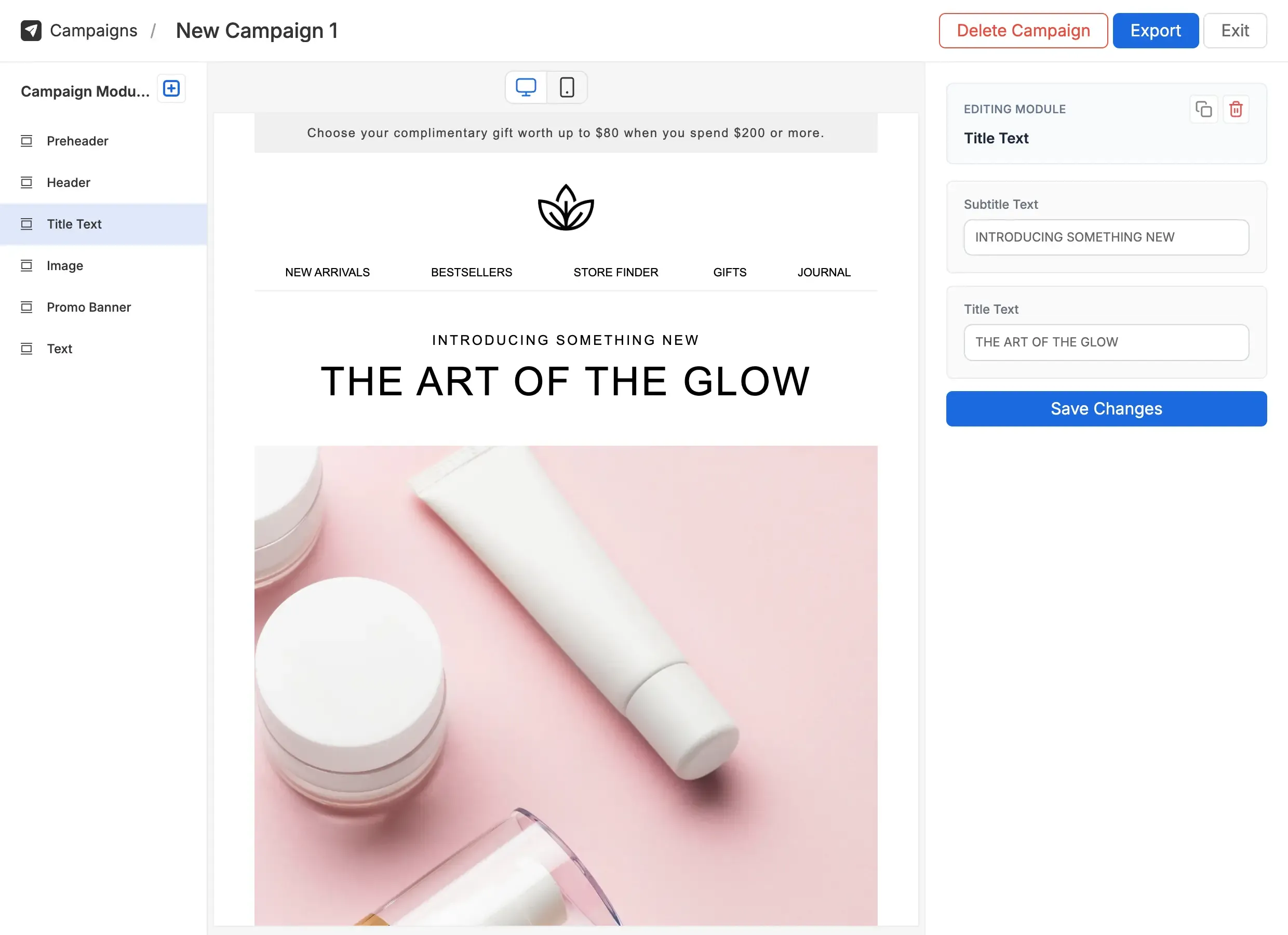
A factual comparison. Modular Mail adds a CMS layer; you keep HubSpot for everything else.
| Feature | HubSpot email editor | HubSpot + Modular Mail Recommended |
|---|---|---|
| Template setup | Drag-and-drop editor or HubL in Design Manager | Standard HTML with mm-editable tags, no HubL |
| Brand guardrails | Limited; rich-text fields allow font and colour changes | Locked structure; marketers only see content fields |
| Custom modules | Requires HubL and Design Manager access | Developer sets up once; marketers use immediately |
| Who can build campaigns | Anyone, with risk of breaking design | Anyone. Structure is locked, only content is editable |
| Personalisation tokens | HubSpot contact tokens added in editor | Added to exported HTML in HubSpot after upload |
| ESP portability | HubSpot-specific editor | Export clean HTML to any ESP |
| Preview and testing | Basic preview; needs separate tools for client testing | Live desktop and mobile preview, plus Litmus / EoA integration |
SaaS companies using HubSpot Marketing Hub for lifecycle emails, nurture sequences, and product announcements often have design-led templates that are hard for marketers to safely edit. A CMS layer fixes that.
A SaaS marketing team sends product updates, onboarding sequences, and promotional campaigns. Templates are set up once in Modular Mail; marketers fill in content fields and export to HubSpot. Dev only gets involved for new modules.
Ecommerce brands using HubSpot for post-purchase flows, promotional campaigns, and win-back sequences need polished designs at scale. Custom coded templates keep the design intact; Modular Mail keeps the content workflow simple.
An ecommerce brand runs seasonal promotions across HubSpot. Each campaign is built in Modular Mail by the marketing team, exported as clean HTML, and uploaded to HubSpot in minutes.
Agencies managing HubSpot for multiple clients set up templates once per client in Modular Mail. Each client gets their own workspace. Producers build campaigns without pulling the design team back in for banner changes.
An agency runs HubSpot programmes for several clients. Modular Mail sits between the template system and HubSpot: locked design, self-serve content, clean HTML exported to each client's HubSpot account.
{{ contact.firstname }}) directly in HubSpot's code editor after uploading the template. Modular Mail handles the design and structure; HubSpot handles the personalisation and sending.mm-editable tags. We also offer professional template conversion as a service.